
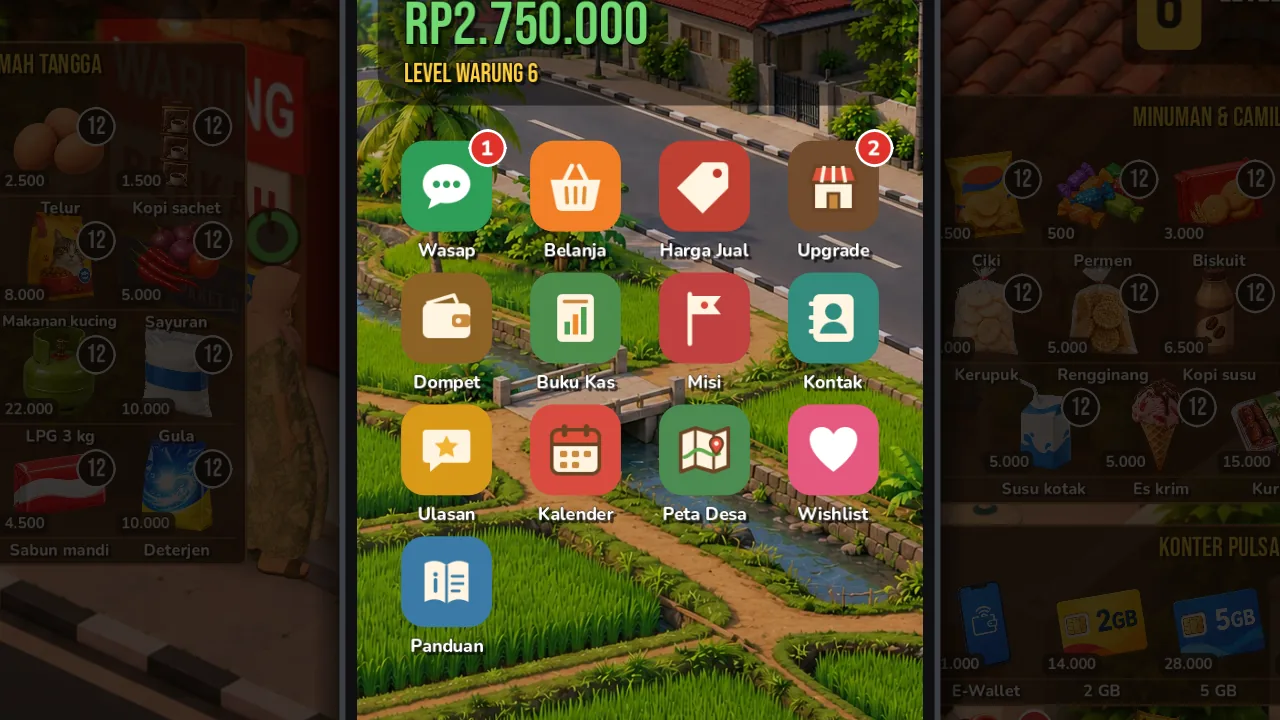

The phone is the shop office
The phone in Warung Life Simulator is where the business is managed. Warung Life Simulator APK download puts chat, online shopping, a cash book, a wallet and a village map on one device, and a shopkeeper who uses it well works half as hard.
Open the phone in quiet moments. A quick check between customers keeps orders, money and messages current without letting the counter wait.
Chat, shopping and the cash book
Chat brings messages from villagers: tasks, news, and requests that open new work. Shopping is where stock orders start, and the cash book shows what the shop earned, spent, and can afford.
Check chat first each day. A message ignored is a task missed, and a task missed is a good or a stage the shop never unlocks.
Phone habits of good shopkeepers
Check the phone at three moments: before opening, in the quiet midday, and at closing. Three checks keep the whole business current.
Answer chat promptly. A message answered today is a task tomorrow; a message ignored is a door closed.
Keep the map open on walks. A shopkeeper who knows the village never wastes an evening being lost.
Wallet and map
The wallet holds the shop money in one place, and the map shows the village at a glance. Warung Life Simulator Neo the Cat explains village walks with the map in hand, and Warung Life Simulator Offline and Save Guide covers delivery timing so orders arrive when the shop needs them.
Learn the map until the village feels small. A shopkeeper who knows the shortcuts serves the village faster, in the game and on foot.