
What Is Warung Life Simulator?
Warung Life Simulator is a simulation game about running a shop in a village in Cianjur. You play as Mr. Misran, a small shop owner struggling to pay for his son Agus's college education while slowly expanding his shop until he has his own kiosk. The store description sums it up in one line: a small shop, a warm village, and a father's big dream.
The game is free to play, contains ads, and provides optional in-app purchases. It is rated for ages 7 and up, it has passed 100,000 installs on Google Play, and players rate it 4.9 out of 5. The developer is NeoPaw Studio, and the game sits in the Simulation category.
Nothing in the game is rushed. The day has a rhythm: open, serve, close, explore, sleep, and open again a little better stocked than before. That rhythm is the whole game, and it is what keeps players coming back after the novelty of the first day wears off.
Warung Life Simulator Screenshots
The captures below come from the game itself: the shop floor at opening time, the phone you order stock with, the village streets, and the story panels that carry the game forward. Use the step buttons or swipe sideways to look through them.
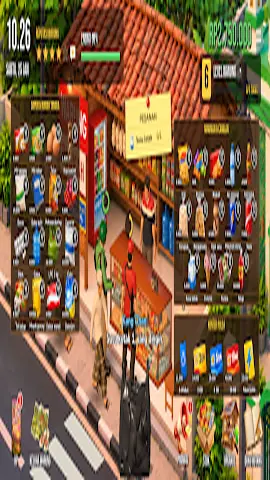
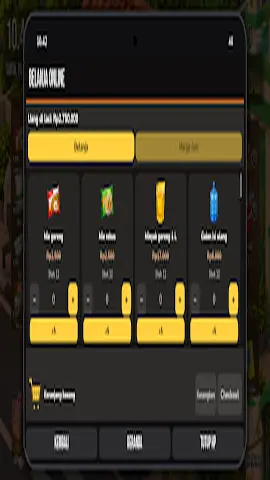
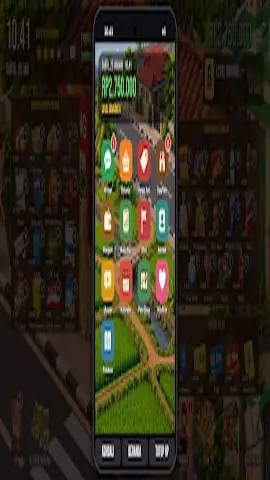

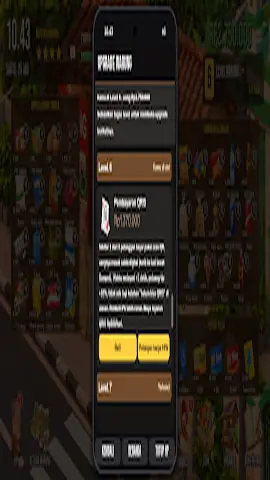
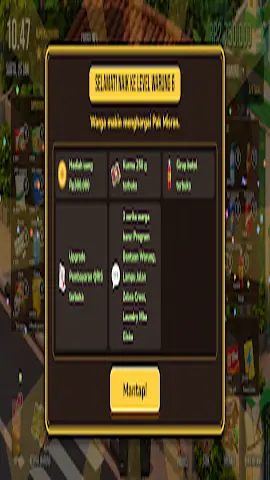


Captures are real gameplay from the Play listing. The in-game interface is shown in Indonesian, as the game presents it.
How Warung Life Simulator Works
Shop for stock via your phone, wait for the courier to arrive, then open the shop. Listen to customers' orders and put the items into plastic bags before their patience runs out. Set selling prices, maintain a safe stock, and collect positive reviews from residents. That loop, repeated day after day with a growing shop, is the core of the game.
Customers tell you what they want, and patience is the timer. A customer served quickly and correctly leaves happy and leaves a good review; a customer kept waiting does not. Prices are yours to set, so the same shelf of goods can be a bargain stall or a premium counter depending on the day you are having.
When the shop is closed, the village opens up. Explore the rice fields, the mosque, the school, the pesantren, and the residents' homes. Chat with residents, become closer to them, and take on side jobs to supplement your income. The shop earns the money; the village earns the stories.
Growing the Shop: Levels, Upgrades and Prices
Growth in Warung Life Simulator is measured in Warung Levels, ten of them. Each level brings tasks to complete, and completing them unlocks merchandise and upgrades. The shop you start with, thin shelves and a long list of wants, is not the shop you end with. A kiosk of your own is the destination the whole game points at.
Upgrades are visible, not just numbers. Display cases change how goods are shown, a fan changes how the shop feels, a radio changes how it sounds, and QRIS, CCTV, and Wi-Fi change how it works. Each stage makes the shop look and feel different, which is why returning players notice the change the moment they open the doors.
Prices decide the day. Set them too high and customers walk past; set them too low and the till never fills. The right price is the one that keeps the shelves moving and the reviews positive, and it changes as the shop grows and the village expects more from it. Watch the reviews: residents tell you, in their own way, whether the prices feel fair.
Stock is the other half of the ledger. A safe stock means the popular goods never run out mid-rush, and the cash book on the phone shows where the money went. Order early, because the courier takes time, and a shop with empty shelves is a shop that earns nothing while it waits.
Life in the Village
The village is not a backdrop. It has a mosque, a school, a pesantren, rice fields, and homes, and the people in them have stories. Dozens of villager stories run beside the main story, and helping a neighbour can open a new product for the shop, which ties the village directly to the till.
The calendar is alive. Day turns to night, rain falls, the power goes out, and unexpected events interrupt the routine. Friday prayers, religious studies, and community service mark the week, and the Ramadan and Eid al-Fitr seasons change the atmosphere of the whole village. A shopkeeper who only watches the counter misses half the game.
Side jobs supplement the shop income, and closeness with residents opens doors that money does not. Chat, help, and show up. The village remembers who serves it well, and the reviews at the counter are only the most visible sign of that.
Main Features
- Manage your store. Order stock on the in-game phone, wait for the courier, open the shop, bag the goods, and set the prices.
- Ten Warung Levels. Complete tasks across 10 Warung Levels, adding merchandise and upgrades at each stage.
- Shop upgrades. Display cases, fans, radios, QRIS payments, CCTV, and Wi-Fi. Each stage makes the shop look and feel different.
- Explore the village. Rice fields, mosques, schools, Islamic boarding schools, and residents' homes, with chats, closeness, and side jobs.
- Follow the story. The main story follows Mr. Misran and Agus, plus dozens of stories from the villagers. Helping them can change their lives and open new products for the shop.
- A living village. Day and night, rain, power outages, unexpected events, Friday prayers, religious studies, community service, and the Ramadan and Eid al-Fitr atmosphere.
- The in-game phone. Chat, online shopping, a cash book, a wallet, and a village map, all in one device.
- A cat named Neo. Neo wanders the village and the shop, a small warm detail in a game full of them.
How to Install Warung Life Simulator on Android
Install from Google Play, where the game is listed under NeoPaw Studio in the Simulation category. Open the listing, tap Install, and wait for the download to finish. The game needs Android 7.0 or later.
Open the game and let it load fully before tapping through the first screens. The first day is a tutorial in disguise: it teaches ordering, serving, and pricing by making you do all three. Follow it, and the loop will feel natural by the second morning.
If you are installing the APK file from this site instead, allow installs from the app you open the file with when Android asks, then return to the installer and confirm. Open the game once after installing and let the first load finish without interruption.
How to Update
Updates arrive through the store listing. Install the update the same way as the original install, and your shop, saves, and progress carry over. Do not uninstall first: uninstalling removes the local save with it.
The latest release covered here adds a reward calendar, the Adu Laris one-minute sales duel against another warung, a shop backup code called Kode Warung, autosave while playing, a clearer ojek and courier display, a button in Settings for a stuck Pak Misran, and fixes for crashes and other issues. The reward calendar pays for checking in daily, with a bigger reward every four days and a sarung outfit on day thirty.
Kode Warung is the feature to set up first. The shop is backed up automatically under the code, and the code restores the shop on a new phone. Write it down somewhere outside the game, because a backup code you cannot find is no backup at all.
Troubleshooting
The game closes on its own. The latest release includes fixes for the game closing by itself. Update to the newest release first, then restart the phone and open the game again before judging whether the problem persists.
Pak Misran is stuck. Open Settings and use the button for a stuck Pak Misran, which moves him. It was added in the latest release for exactly this problem, and it beats closing and reopening the game.
The courier or ojek display looks unclear. The latest release makes the ojek and courier clearer, with a new phone icon. Update first, then check the phone screen again.
Progress feels lost after an update. Autosave now runs while playing, so progress is safer than before. If a shop seems missing after moving phones, restore it with the Kode Warung backup code rather than starting over.
The shop runs out of stock mid-rush. Order earlier in the day and keep a safe stock of the popular goods. The courier takes time to arrive, so the order placed after the shelves empty is the order that arrives too late.
Safety and Verification
The facts on this page come from the Google Play listing itself: the developer, the category, the rating and review count, the install band, the content rating, and the store description. The changelog details come from the listing release notes for the current release.
The game is free with ads and optional in-app purchases, as the listing states. Purchases are handled through the store, and the game asks for nothing outside the normal install flow. Install from the store listing or from the file attached on the download page, and check the package name in the APK table before installing a file from anywhere else.
The file is 282.69 MB, as the linked file shows, and the APK table carries the version, the size, and the facts the listing states.
Pros and Cons
Pros
- A warm, complete loop: order, serve, price, grow, repeat, with a story behind it
- Ten Warung Levels with visible upgrades that change how the shop looks and feels
- A living village with dozens of stories, seasons, and daily events
- The in-game phone ties chat, shopping, cash book, wallet, and map together
- Autosave and the Kode Warung backup code protect progress across phones
- Rated 4.9 from thousands of Play reviews, with a 7 and up content rating
Cons
- Slow by design: the daily rhythm will not suit players who want fast action
- Ads and optional in-app purchases are part of the free game
- Stock and courier timing punish late orders, which can frustrate a first week
- The in-game interface is presented in Indonesian, which some players will need to learn as they go